sphinx-typesense
A Sphinx extension for integrating Typesense search into documentation sites.
Replace Sphinx’s built-in search with Typesense for fast, typo-tolerant search that scales from small projects to large documentation portals.
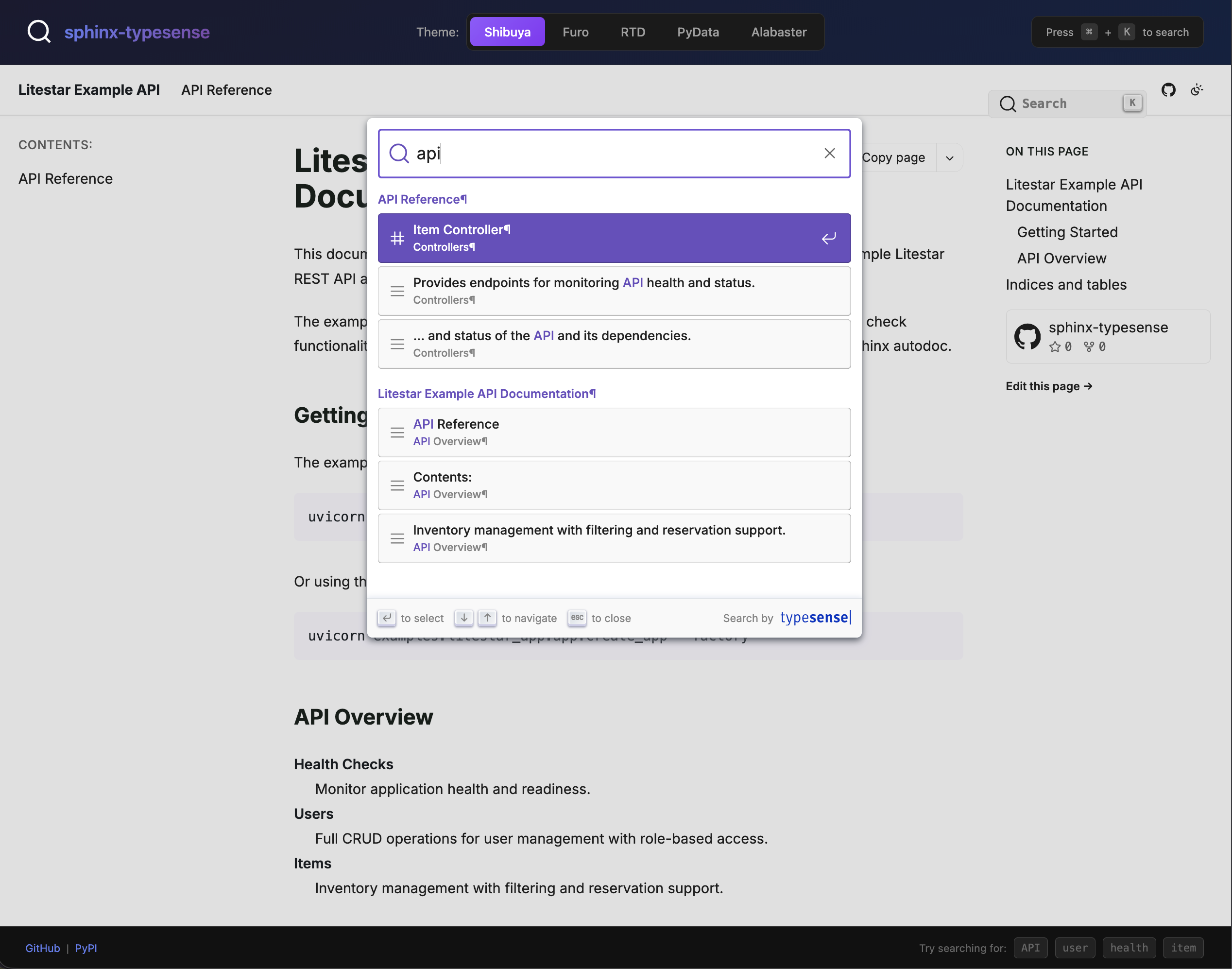
Install sphinx-typesense and configure your first search integration in minutes.
Choose between Typesense (server-based) and Pagefind (static) search backends, or let auto-selection pick the best option.
Complete reference for all configuration options including server settings, search UI customization, and theme support.
Learn about supported Sphinx themes and how to add support for custom themes.
Detailed API documentation for all modules, classes, and functions.
Features
Dual Backend Support: Choose Typesense (server) or Pagefind (static) search
Fast Search: Typesense provides sub-50ms search responses
Typo Tolerance: Built-in typo correction (configurable 0-2 typos)
Zero-Config Static Search: Pagefind backend works on any static host
Build-time Indexing: Automatic content extraction during Sphinx builds
DocSearch Compatible: Uses the DocSearch hierarchical schema for familiar UX
Multiple Theme Support: Works with RTD, Furo, Alabaster, PyData, and Book themes
Self-hosted or Cloud: Supports both Typesense Server and Typesense Cloud
Quick Example
Add to your Sphinx conf.py:
extensions = ["sphinx_typesense"]

# Typesense server connection
typesense_host = "localhost"
typesense_port = "8108"
typesense_protocol = "http"

# API keys (use environment variables in production)
import os
typesense_api_key = os.environ.get("TYPESENSE_API_KEY", "")
typesense_search_api_key = os.environ.get("TYPESENSE_SEARCH_API_KEY", "")
Build your documentation and the search index will be automatically created.